Every client project, from yes to handoff.

Quote it. Start it clean. Track every change. Hand it over. One workbook, seven message scripts and a brief. Plain files you own.

One-time price $39. No subscription. Instant download.

Checkout and file delivery are handled by Whop, the merchant of record. After payment, Whop emails your receipt with a link to the download. See all prices.

Made for freelancers and small studios of one to five people. It is not a CRM, a billing tool or a contract.

Riverside Bakery: website refresh

Status tracker, one project

Fictional example

  1. InquiryFit check passedDone
  2. BriefApprover agreed, exclusions listedDone
  3. QuoteFee 3,278.40Done
  4. AssetsAll items receivedDone
  5. Revisions2 of 2 rounds usedDone
  6. Scope change: online payment option12 h, extra fee 780.00Pending client decision
  7. Launch QA31 of 35 checks passedIn review
  8. Handoff0 of 19 tasksPending
Next actionSend handoff checklistFri
An invented project shown the way the kit's Status sheet and Scope-change log would track it.

From yes to handoff, in four steps

Four steps. Each one has a sheet and a message ready.

  1. Quote it

    Hours, extras and margin become one fee.

  2. Start clean

    Write down scope, who approves and what you need.

  3. Track changes

    Log each extra request. Price it before you start.

  4. Hand it over

    Run the launch list. Remove your own access.

What is in the binder

Five files from one set of formulas. These are pictures of the real files.

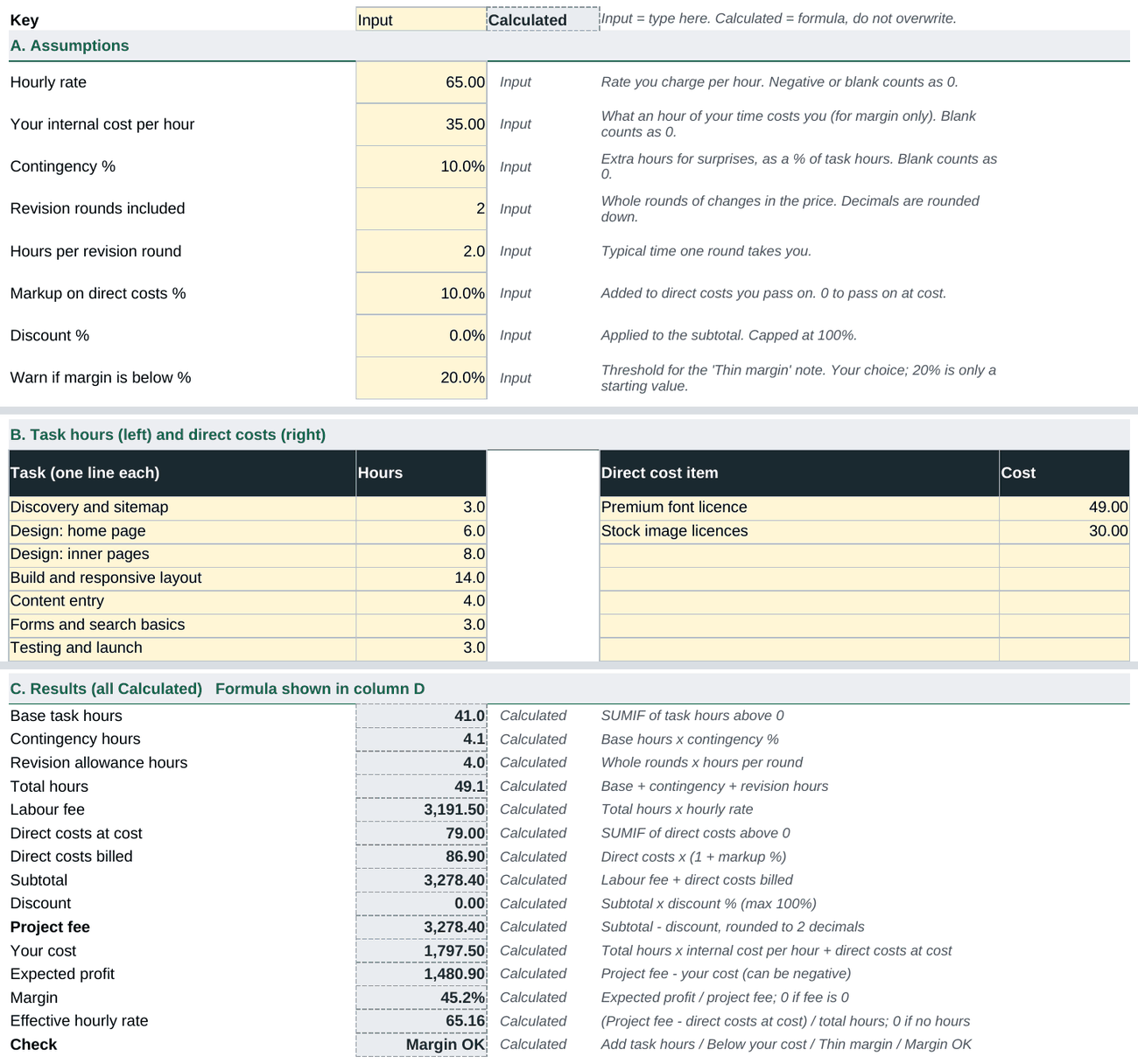
The Quote sheet of the workbook: assumptions, task hours, direct costs and calculated results for a fictional bakery website, with a project fee of 3,278.40.

Workbook, .xlsx

9
working sheets
35
launch checks
  • Every quote formula is written next to its result.
  • Input cells and Calculated cells carry a text label, not only a colour.

See each sheet

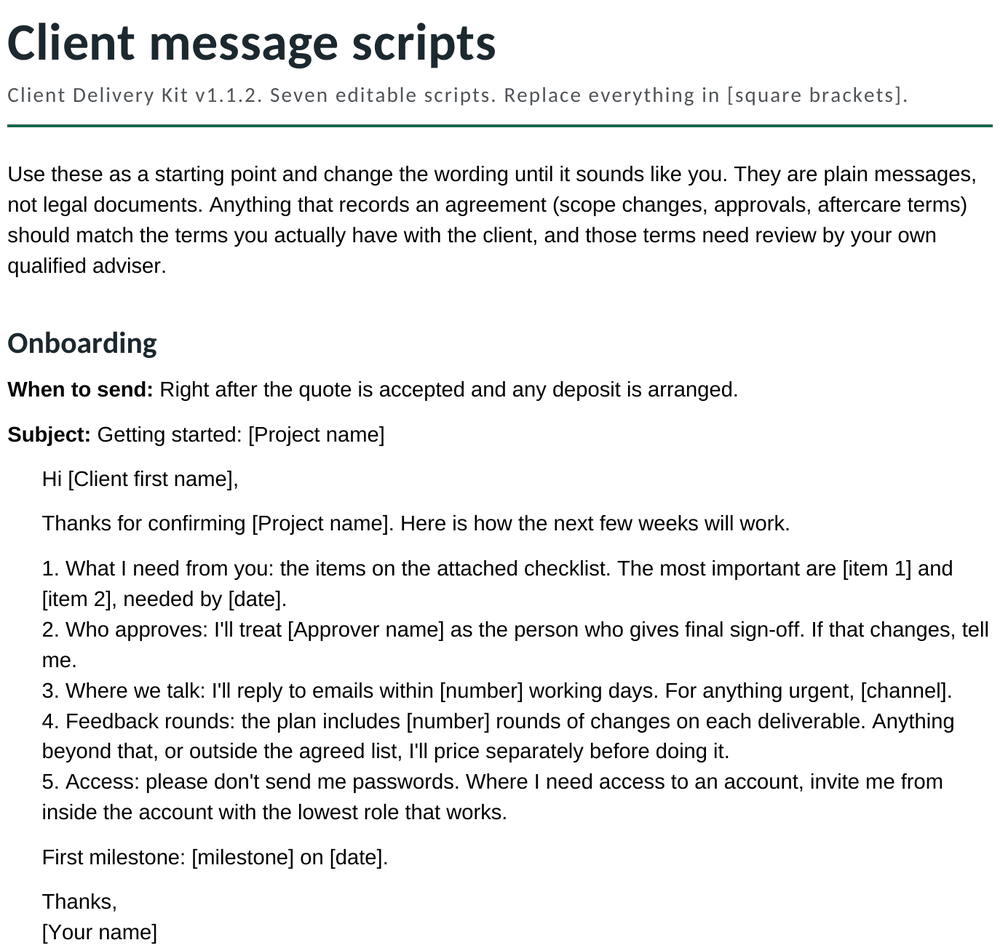
First page of the client message scripts document: the Onboarding script with a subject line, five numbered points and square-bracket placeholders.

Message scripts, .docx

7
ready messages
  • Onboarding, missing assets, scope change, feedback, approval, handoff and aftercare.
  • Fill in the [square brackets]. Edit until it sounds like you.
  • Each script says when to send it.
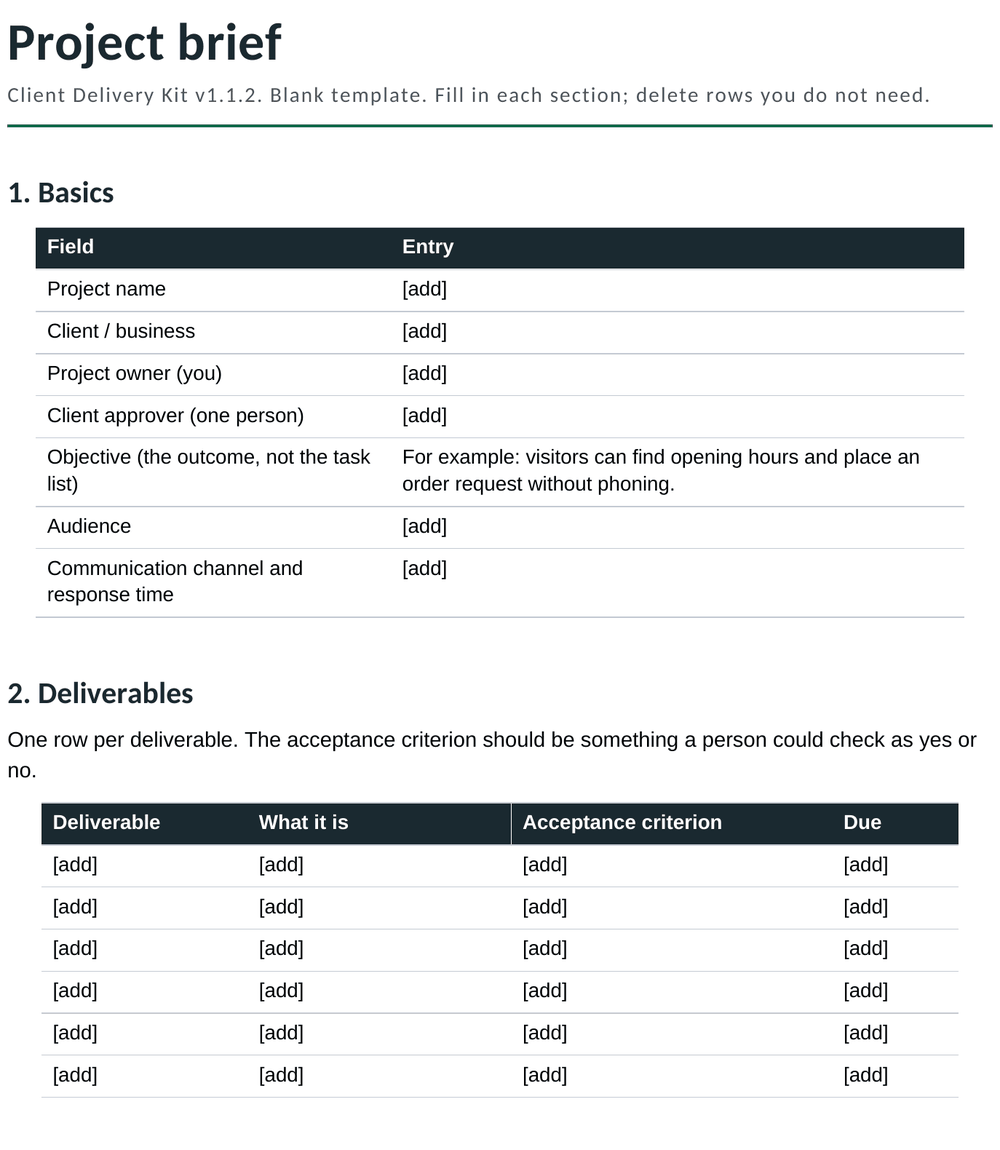
The project brief template: objective, audience and a deliverables table with acceptance criteria.

Brief template, .docx

1
page to agree on
  • Goal, audience and deliverables you can check off.
  • Exclusions and key dates, written before work starts.
  • A blank copy you can share with the client.
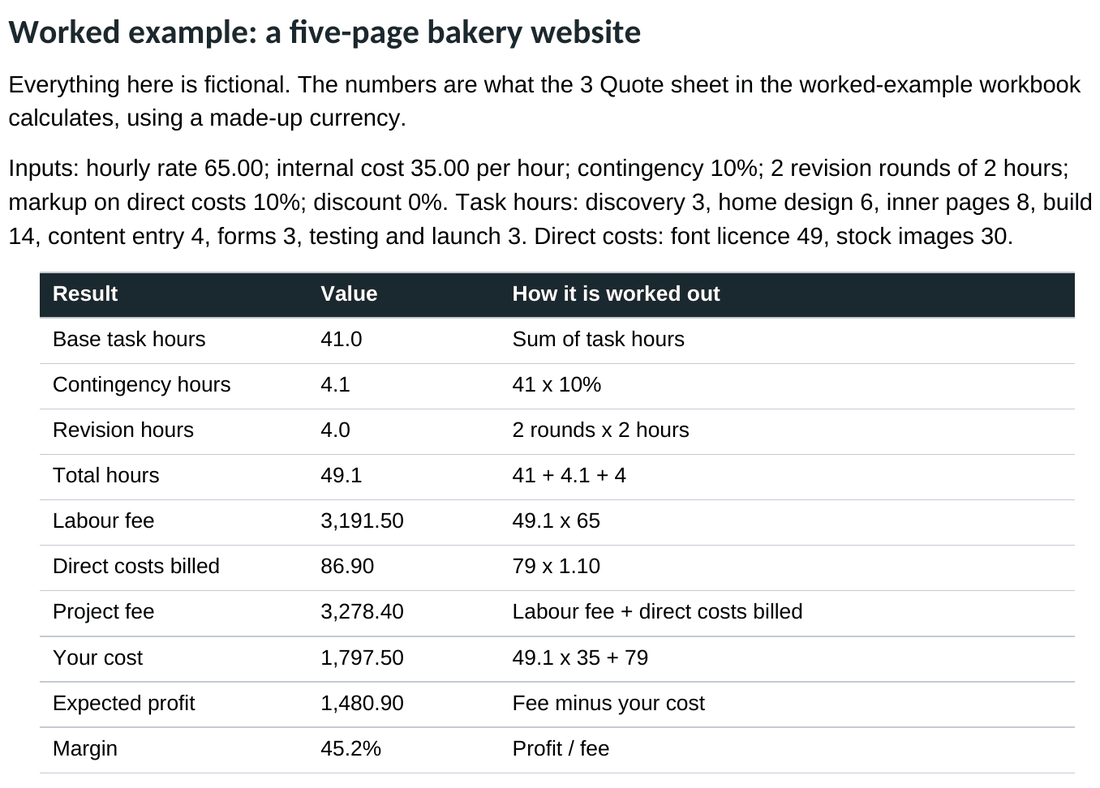
Quick-start guide page with the worked bakery example: a table of hours and fees and how each is calculated.

Quick-start guide, .pdf

3
pages
  • Setup, workflow, common mistakes and how to reset.
  • A worked example that matches the workbook to the cent.

Read the same guide online

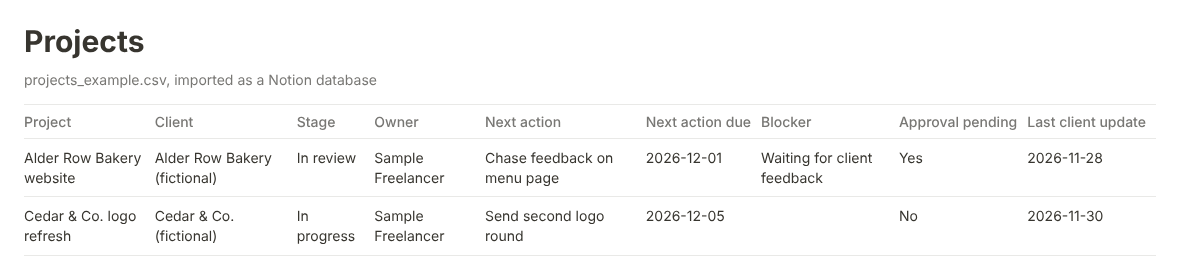
The example projects table from the Notion import files, with stage, owner, next action, blocker and last client update columns for two fictional projects.

Notion import files

8
CSV tables
3
pages
  • You import them and set Select and Date types yourself. It is not a one-click template.
  • Optional. The Excel workbook is the main part.

You need Excel or any app that opens .xlsx. Use Word or Google Docs for the .docx files.

The part of a project that usually lives in your head.

Eight jobs, one set of files.

See everything included

  • Inquiry and fit check

    Six questions before you quote.

  • Project brief

    Goal, deliverables, exclusions, dates.

  • Quote worksheet

    Hours, contingency, costs and margin.

  • Scope-change log

    Extra requests stay Pending until decided.

  • Assets checklist

    What you need, and what has arrived.

  • Status tracker

    Stage, next action and blockers.

  • Launch QA

    Thirty-five checks with Pass, Fail, N/A.

  • Handoff

    Nineteen tasks. The last one removes your access.

Loose ends or one binder?

The same four moments in a project, before and after.

MomentLoose endsWith the kit
QuotingA guess, then a late night.Hours, extras and margin on one sheet.
Extra request"Sure, quick one." Nobody counts it.Logged, priced and Pending until decided.
Waiting on contentYou chase by email.Each item has an owner and a date.
HandoffYour login stays on their site.The last task removes your access.

Open the files and start a project.

  1. Pay through the hosted checkout. It emails you the download.
  2. Unzip. Read the quick-start guide. Open the worked example.
  3. Copy the blank workbook for each project. Fill the Input cells.

No account. No login. No subscription. No app to install.

Not ready? Try the free sample first. Or read how to handle scope creep.

MonsiKit

Client Delivery Kit

Version 1.1.3

  • Blank workbook.xlsx
  • Worked-example workbook.xlsx
  • Seven message scripts.docx
  • Project brief template.docx
  • Quick-start guide.pdf
  • Notion import files.csv .md

Price, one time$39

USD. No subscription. Whop, the merchant of record, may add sales tax or VAT at checkout.

Licence: one business. Edit the files for your own client work. Do not resell or share them. Read the licence.

Checkout and file delivery are handled by Whop, the merchant of record. After payment, Whop emails your receipt with a link to the download.

Two more workbooks, for rates and retainers.

The kit covers one project. These cover how you price and how you run monthly clients. Checkout for them is not open yet.

Chasing late invoices? See the Invoice and Payment Follow-up Tracker.

See all products

What it is, and what it is not

1
person makes it
$39
price, one time, no subscription
6
parts in the download, from workbook to Notion files
35
launch checks in the workbook

Not for you if

  • You need a CRM or billing tool. There is no invoice sheet.
  • You want a legal contract. The scripts record intent only.
  • You expect a guaranteed result. The kit is a tool.

See the full list

Who makes it

Raian Mehrak Noor, one person.

The kit is new, so there are no reviews yet. None are shown here. The free sample is cut from the same workbook, so you can check the files first. More about me.

Questions? Email me.

I read every message and reply myself, usually within two working days.